Finance
Invoices out, payments in, nothing forgotten.
The invoice comes from the order. SAPUGO tracks what is paid, reminds who is late, and hands the month to your accounting software.
No credit cardUnlimited membersHosted in the EU
Sound familiar?
Where the day gets lost today.
Invoices are retyped
The order is in one place, the invoice is written in another. Every figure is typed twice and checked once, if at all.
Nobody knows who has paid
Open items sit in a spreadsheet next to the bank statement. Reminders go out late, or to the wrong customer.
Month end is a scramble
The accountant asks for the invoices, the credit notes and the open items. It takes two days to pull together.
What SAPUGO sets up
Connected tables for your work.
A starting setup like this is ready in minutes from the Quotes, orders & invoices system or from a description. Rename, add or remove anything later.
Customers
- Name
- Billing address
- VAT number
- Payment terms
- Credit limit
Orders
- Customer
- Lines
- Total
- Status
- Delivered on
Invoices
- Customer
- Order
- Invoice date
- Due date
- Total
- Status
Payments
- Invoice
- Amount
- Received on
- Reference
Credit notes
- Invoice
- Reason
- Amount
- Status
Reminders
- Invoice
- Level
- Sent on
- Sent by
A view for every job.
- Open items
- Every unpaid invoice with days overdue, grouped by customer, with the amount outstanding as a rollup.
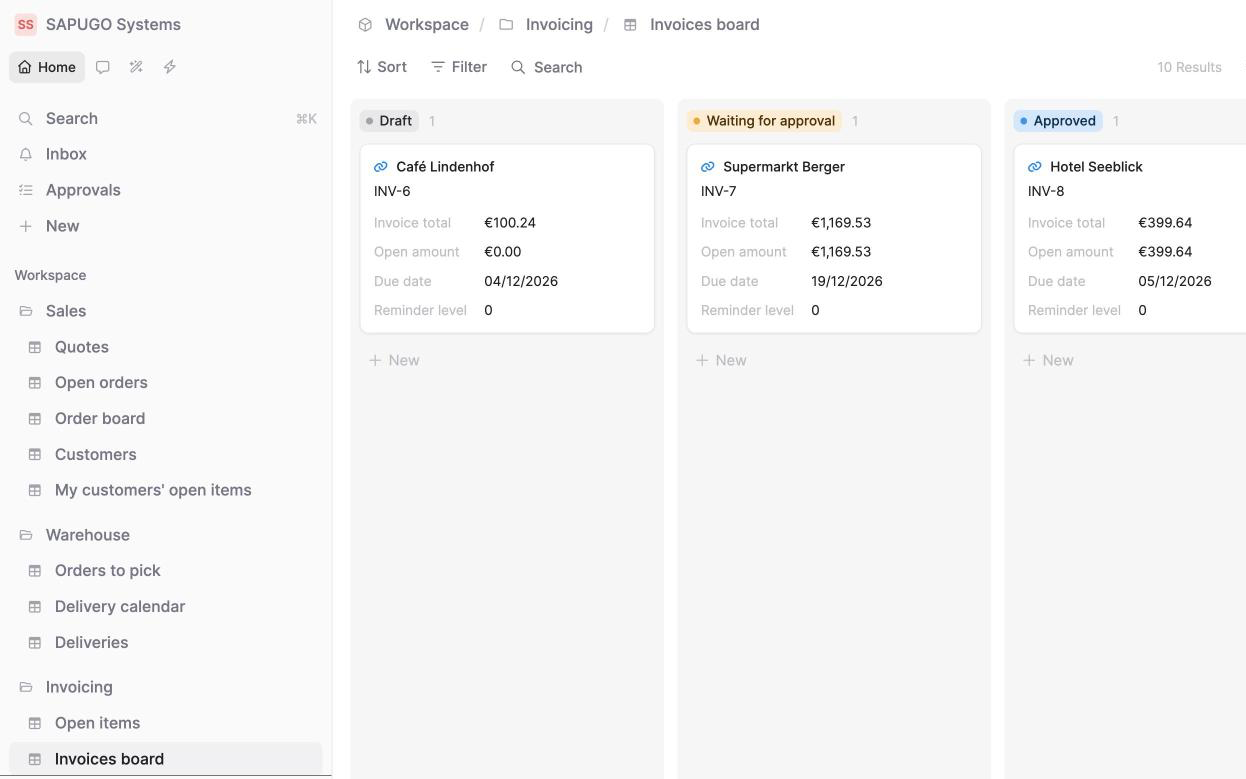
- Invoices board
- Draft, approved, sent, paid and overdue, as columns you drag between.
- Customer record
- Open a customer to see orders, invoices, payments, credit notes, and every reminder sent.
- Finance dashboard
- Invoiced this month, outstanding, overdue by age, and credit limit usage per customer.
Work that runs by itself.
- Invoice on delivery
- When an order is marked delivered, the invoice is created from its lines, the Invoice stencil fills it, and the PDF goes to the customer.
- Reminder after the due date
- Seven days after the due date an unpaid invoice gets a first reminder, then a second at 21 days, each from its own stencil.
- Approval above a threshold
- Credit notes and invoices above an amount you set wait for approval before they can be sent.
- Month-end export
- On the last day of the month, invoices, credit notes and payments are written to a CSV file and sent to your accountant, or posted to your accounting software through its API.
Documents as PDFs: Invoice, Credit note, Payment reminder.
Everyone sees what they need.
Yes, you can.
The questions teams like yours ask before they switch, and what SAPUGO answers.
- “Can a new order be blocked when the customer is over the credit limit?”
- Yes, you can. A rollup sums the customer's open invoices, and a business rule rejects an order that would push them past the limit, inside the save.
- “Can a credit note above €1,000 need approval?”
- Yes, you can. A workflow with an approval step holds the credit note until the finance lead approves it.
- “Can reminders go out without me sending them by hand?”
- Yes, you can. A scheduled workflow finds invoices past their due date and emails the Payment reminder stencil as a PDF.
- “Can my accountant get everything at month end?”
- Yes, you can. A scheduled workflow exports invoices and payments to a CSV or Excel file, or posts them to your accounting software through an HTTP step.
Where to start
Start from the system, or from a sentence.
Quotes, orders & invoices
For product businesses and wholesalers
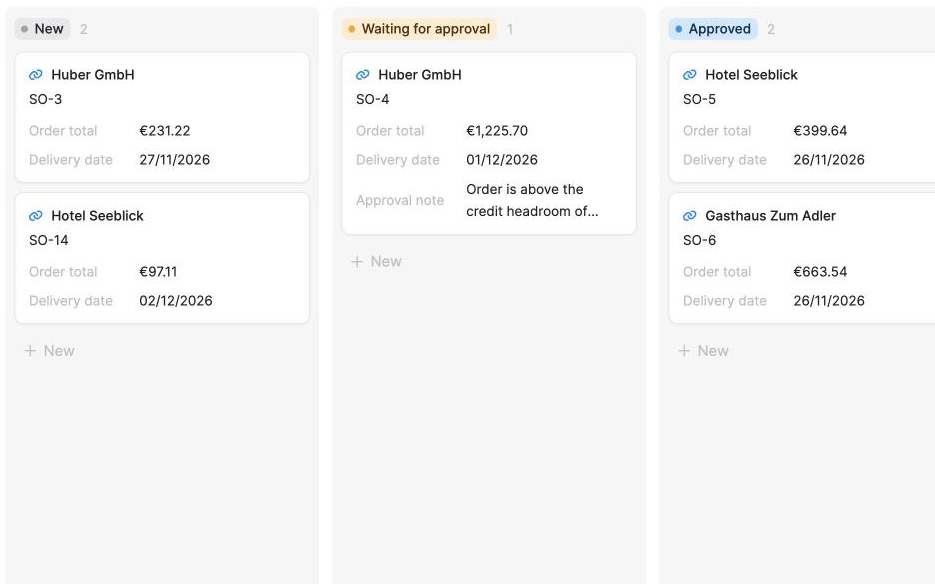
Customers, products, quotes, orders, delivery notes and invoices as PDFs. Credit limits and order approval built in.
Describe your business to the AI Assistant
“We invoice about 200 orders a month. I need invoices from orders, payment tracking, reminders, and an export for our accountant at month end.”
The assistant proposes tables, views, rules and workflows and builds nothing until you approve the plan. Prefer to build by hand? Everything it makes, you can make yourself.
Your data, kept apart from everyone else.
Hosted in the EU
Your workspace lives in an EU region, in its own isolated database.
Permissions down to the field
Decide who sees and changes each table, row and field, on every plan.
No lock-in
Export a whole database as SQL any time, and erase your workspace when you want.
Is SAPUGO accounting software?
No. SAPUGO creates quotes, invoices, delivery notes and credit notes, and tracks payments and reminders. The bookkeeping itself stays in your accounting software, fed by workflows, exports and the API.
Can I import open invoices?
Yes. Import customers and open items from Excel, CSV, JSON, XML or Airtable, map the columns, and the open items view works from day one.
Who can change an invoice after it is sent?
Whoever you allow. Field permissions keep the amounts read-only for everyone but the finance lead, and the status field only allows the transitions you define. Every change is in the change history: 30 days on Free, 90 days on Plus, a year on Pro, unlimited on Business.
Where is the data stored?
In the EU, in an isolated database for your workspace. You can export it any time, including as SQL.
Set up finance in minutes.
Create a workspace and start from this setup, or describe your business. You can change everything later.
No credit cardUnlimited membersHosted in the EU