Agencies & professional services
Every hour billed, every budget in sight.
Clients, projects, time and expenses in linked tables. The invoice comes from the hours, and the budget warns before it is gone.
No credit cardUnlimited membersHosted in the EU
Sound familiar?
Where the day gets lost today.
Month end is a reconstruction
Hours come from one tool, expenses from receipts in a drawer, and the rates from memory. The invoice goes out late and someone forgets to bill the Thursday.
The budget is gone before anyone notices
The fixed-fee project is at 120 percent of its hours. The team finds out when the owner does the numbers.
Clients ask for the status and get a search
What was agreed, what is done and what is in review is spread across threads. Each question costs ten minutes of scrolling.
What SAPUGO sets up
Connected tables for your work.
A starting setup like this is ready in minutes from the Client & project billing system or from a description. Rename, add or remove anything later.
Clients
- Name
- Contact
- Billing address
- Default rate
- Payment terms
Projects
- Client
- Name
- Hourly or fixed fee
- Budget
- Hours logged
- Status
Time entries
- Project
- Person
- Date
- Hours
- Billable
- Note
Expenses
- Project
- Date
- Amount
- Receipt
- Billable
Invoices
- Client
- Project
- Period
- Amount
- Due date
- Paid
A view for every job.
- My week
- A table of time entries for the current week, filtered to the person who is logged in.
- Project board
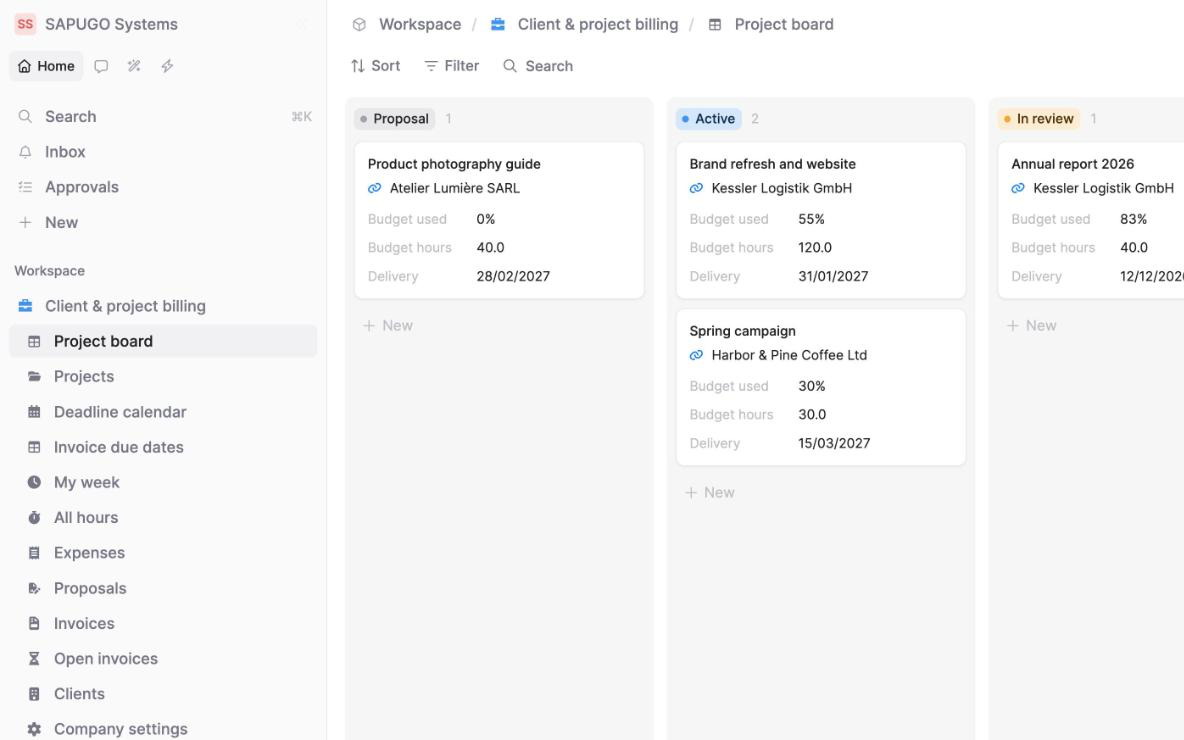
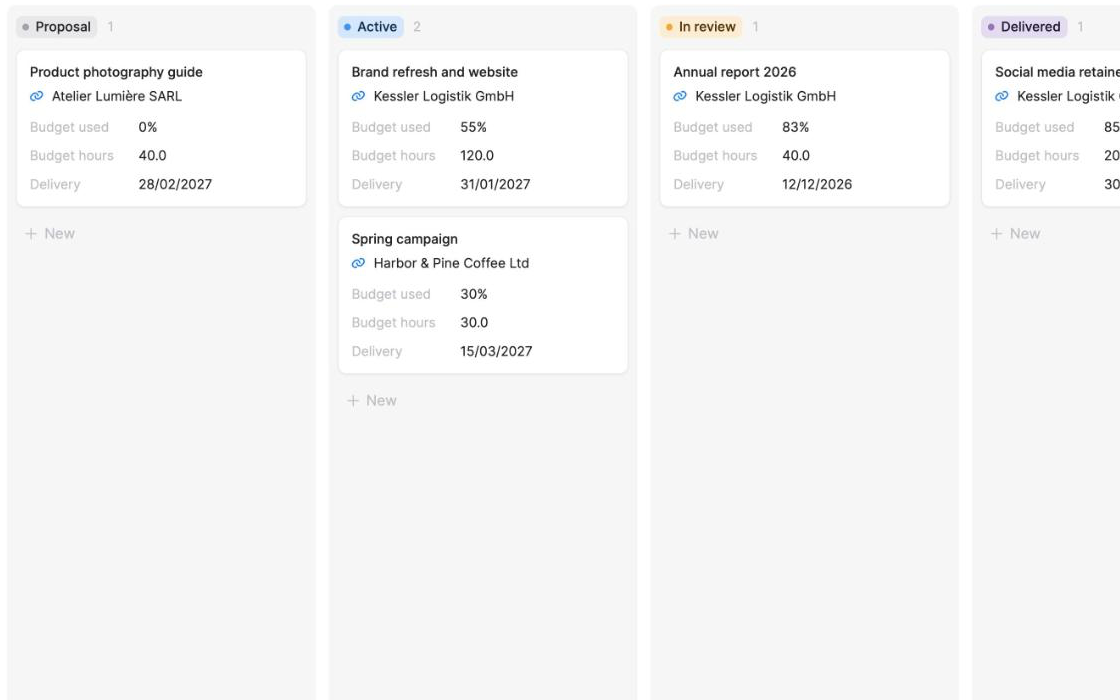
- Proposal, active, in review, delivered and invoiced, one card per project with the share of its budget used.
- Deadline calendar
- Project delivery dates on a calendar, and invoice due dates on a calendar of their own.
- Project record
- Open a project to see its hours, expenses, invoices, files, the proposal it came from, comments and the change history.
Work that runs by itself.
- Budget warning at 80 %
- When the hours logged reach 80 percent of the budget, the project lead and the owner get an email.
- Monthly invoice from hours
- On the first of the month, billable hours and expenses per project become an invoice draft, ready to check and send.
- Reminder after the due date
- An unpaid invoice gets a reminder seven days after its due date, and a second one after 21.
- Proposal to project
- When a proposal is accepted, the project is created with the budget and the rate from the proposal.
Documents as PDFs: Proposal, Timesheet, Invoice.
Everyone sees what they need.
Yes, you can.
The questions teams like yours ask before they switch, and what SAPUGO answers.
- “Can the invoice be built from the hours without me retyping anything?”
- Yes, you can. A scheduled workflow sums billable time entries and expenses per project, fills the Invoice stencil and leaves a draft for you to check.
- “Can I warn the team before a fixed-fee budget runs out?”
- Yes, you can. A rollup on the project sums the hours, and a business rule starts the warning workflow the moment the 80 percent mark is crossed.
- “Can freelancers log hours on our projects without seeing our rates?”
- Yes, you can. Members are unlimited, and an access view shows freelancers only their projects and hides the rates.
- “Can an accepted proposal become a project without retyping it?”
- Yes, you can. When the client accepts the proposal, the project is created with the budget and the rate from the proposal, and the hours are logged against it from day one.
Where to start
Start from the system, or from a sentence.
Client & project billing
For freelancers, agencies and consultants
Clients, projects, hours and expenses, and invoices with payment reminders.
Describe your business to the AI Assistant
“We are a design agency with 9 people. We bill clients by the hour and by fixed fee, and we need to see how much budget is left on every project.”
The assistant proposes tables, views, rules and workflows and builds nothing until you approve the plan. Prefer to build by hand? Everything it makes, you can make yourself.
Your data, kept apart from everyone else.
Hosted in the EU
Your workspace lives in an EU region, in its own isolated database.
Permissions down to the field
Decide who sees and changes each table, row and field, on every plan.
No lock-in
Export a whole database as SQL any time, and erase your workspace when you want.
Can I bring in time entries from our current tool?
Yes. Export them as CSV or Excel and import them, mapping the columns to projects and people. Airtable bases import directly, as do JSON and XML.
Do freelancers and clients count as users?
No. Every plan includes unlimited members. Give a freelancer an account with access to their projects only, at no extra cost.
Can I see who changed a time entry?
Yes. Every record keeps a change history: 30 days on Free, 90 days on Plus, a year on Pro and unlimited on Business.
Is our client data safe with you?
It sits in an isolated database for your workspace, hosted in the EU, with MFA for every member. You can take a full SQL export at any time, so nothing locks you in.
Set up agencies & professional services in minutes.
Create a workspace and start from this setup, or describe your business. You can change everything later.
No credit cardUnlimited membersHosted in the EU