Manufacturing
From customer order to finished part, on record.
Customer orders, bills of material, production orders, stock and purchasing, linked. You know what to make, what is missing and what has shipped.
No credit cardUnlimited membersHosted in the EU
Sound familiar?
Where the day gets lost today.
Nobody knows what is on the floor
The planning sheet says the job started on Monday. The welder says it is waiting for brackets. The customer is on the phone.
Bills of material drift
The current version is in a spreadsheet with three copies. The purchaser orders from the old one.
Shortages are found too late
The missing component shows up when the job is due to start, not when the order came in.
What SAPUGO sets up
Connected tables for your work.
A starting setup like this is ready in minutes from a description, or from the Quotes, orders & invoices system with production added. Rename, add or remove anything later.
Products
- Article number
- Name
- Unit
- Sales price
- Bill of material
- Drawing
Bill of material lines
- Product
- Component
- Quantity
- Unit
Customer orders
- Customer
- Order date
- Line items
- Due date
- Status
Production orders
- Product
- Quantity
- Customer order
- Start
- Due date
- Status
Stock
- Component
- Location
- Quantity
- Minimum
- Supplier
Purchase orders
- Supplier
- Lines
- Ordered
- Expected
- Received
A view for every job.
- Production board
- Planned, released, in progress, quality check and done, one card per production order, moved by the shop floor.
- Shortage list
- A table of components where stock minus the demand from open production orders is below zero.
- Delivery calendar
- Customer due dates and production starts on one calendar, so a late start is visible before the week begins.
- Production order record
- Open a production order to see its bill of material, stock per component, the linked customer order, the drawing and the chat.
Work that runs by itself.
- Order to production
- When a customer order is confirmed, a production order per line is created with the bill of material copied in.
- Shortage to purchase order
- When a component is short for a released production order, a purchase order draft is created for its supplier.
- Stock on completion
- Marking a production order done books the components out and the finished product in.
- Delivery note on shipment
- Shipping a customer order produces the delivery note as a PDF and emails it to the customer.
Documents as PDFs: Order confirmation, Production sheet, Delivery note, Invoice.
Everyone sees what they need.
Yes, you can.
The questions teams like yours ask before they switch, and what SAPUGO answers.
- “Can I change a bill of material without breaking the orders already running?”
- Yes, you can. The bill of material is copied into the production order when it is created, so a change to the product only reaches new orders, and the change log shows who changed which line.
- “Can I see which components we are short of before the job starts?”
- Yes, you can. A rollup on each component sums the demand from open production orders, a formula compares it with stock, and the Shortage list view filters on the result.
- “Can I print the production sheet with the drawing on it?”
- Yes, you can. A button on the production order fills the Production sheet stencil with the bill of material and the attached drawing and gives you the PDF.
- “Can each worker see their own jobs and nothing else?”
- Yes, you can. An access filter on Production orders shows each person the orders assigned to them, and a field permission hides prices and customer terms.
Where to start
Start from the system, or from a sentence.
Quotes, orders & invoices
For product businesses and wholesalers
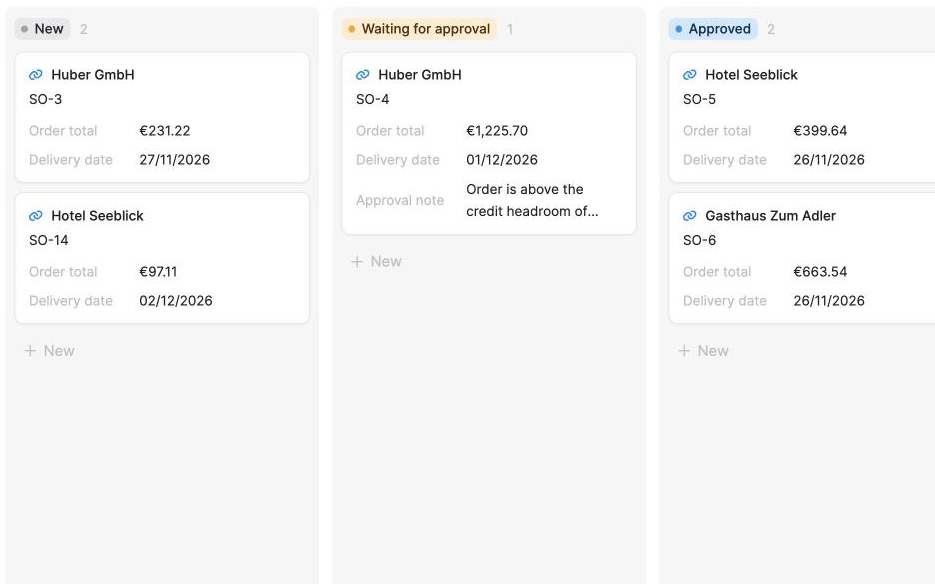
Customers, products, quotes, orders, delivery notes and invoices as PDFs. Credit limits and order approval built in.
Describe your business to the AI Assistant
“We make custom steel furniture with 15 people. We need to plan production orders from customer orders, keep bills of material, and see which parts we are short of.”
The assistant proposes tables, views, rules and workflows and builds nothing until you approve the plan. Prefer to build by hand? Everything it makes, you can make yourself.
Your data, kept apart from everyone else.
Hosted in the EU
Your workspace lives in an EU region, in its own isolated database.
Permissions down to the field
Decide who sees and changes each table, row and field, on every plan.
No lock-in
Export a whole database as SQL any time, and erase your workspace when you want.
Can I import our bills of material from Excel?
Yes. Import products and their component lines from Excel or CSV and link them with relations. JSON, XML and Airtable imports work the same way.
Does everyone on the shop floor need a licence?
No. Every plan includes unlimited members, so every worker gets an account. You pay for capacity: records, workflow runs and file storage for drawings, from 1 GB on Free to 250 GB on Business.
Can it talk to our accounting software or web shop?
Through the API, webhooks and the HTTP step in workflows. There are no named integrations, and we would rather say so than promise one.
What if our process does not match this setup?
Then change it. The setup is a starting point: add an operations table, a quality step or a second site, with the AI Assistant or by hand. Rules keep working on the new fields.
Set up manufacturing in minutes.
Create a workspace and start from this setup, or describe your business. You can change everything later.
No credit cardUnlimited membersHosted in the EU